
EHR Implementation
An EHR (Electronic Health Record) is a digital version of a patient’s paper chart. It holds medical history, test results,...
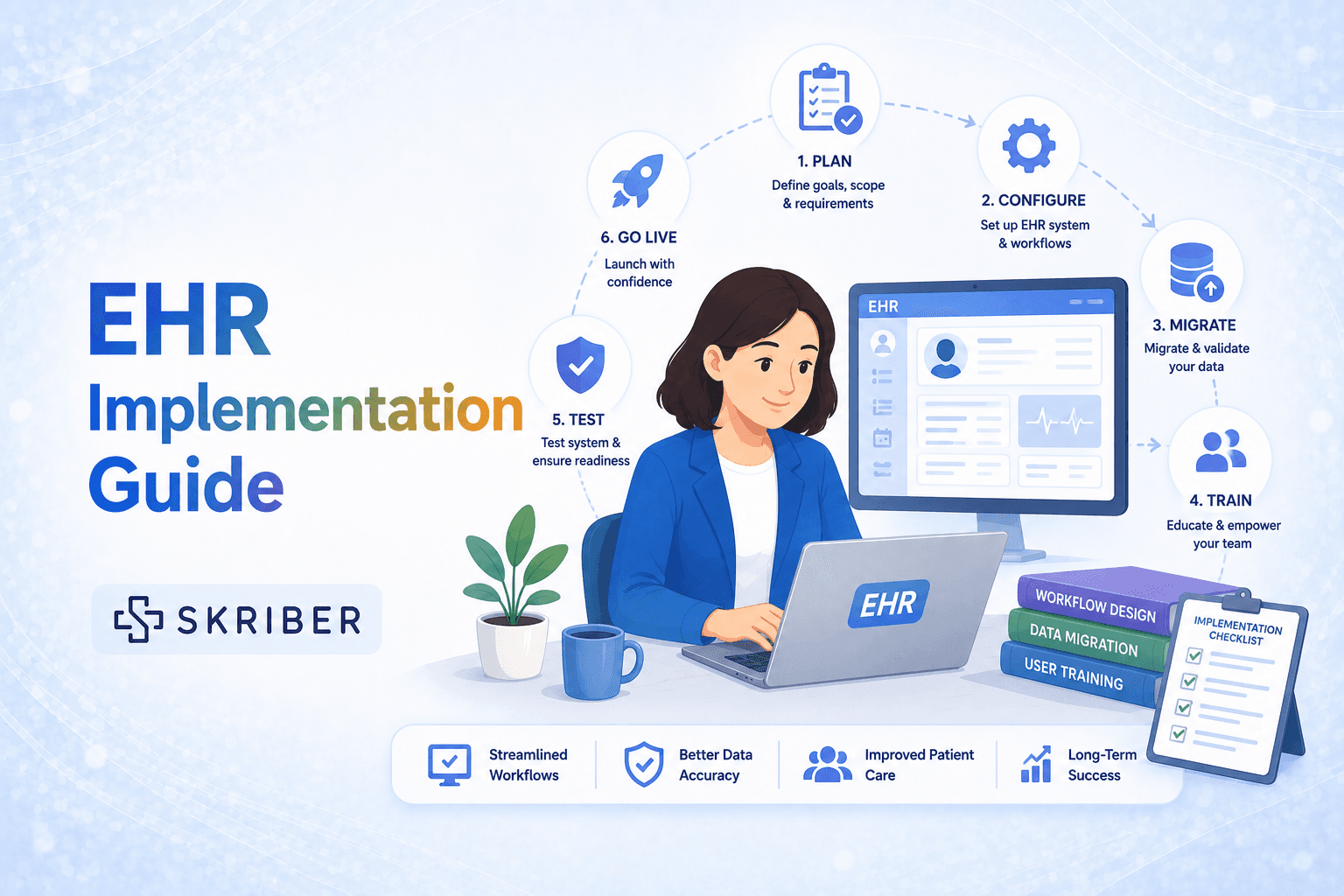
An EHR (Electronic Health Record) is a digital version of a patient’s paper chart. It holds medical history, test results, medicines, allergies, and more. Instead of using paper files, doctors and nurses use computers or tablets to see patient information. Many clinics and hospitals are moving from paper to EHR systems. Why? Because EHRs make healthcare safer and faster. They help doctors avoid mistakes. They let different providers share information easily. And they save time in the long run. But here is the hard part. Putting in a new EHR system is not simple. It takes months of work. It costs money. And it can be stressful for the whole team.
In this guide we will walk you through everything you need to know. We will break down each step. We will talk about problems you might face and how to fix them. And we will give you a real look at what things cost.
Before You Start – Getting Ready for Success
Know Your “Why”
Before you pick any software, ask yourself: Why do we need a new EHR? Maybe your old system is too slow. Maybe you want to connect with other hospitals. Maybe you want to stop losing paper files.
Write down your top three reasons. Share them with your whole team. When everyone knows the “why,” they will help you through the hard parts.
Build Your Dream Team
Do not do this alone. You need a group of people to lead the project. Call this your “EHR Implementation Team.” Here is who should be on it:
- One Project Leader – This person runs the whole show. They make schedules, talk to the software company, and keep everyone on track.
- Doctor or Nurse Leader – A clinician who understands daily work. They make sure the new system works for real patient care.
- IT Person – Someone who knows computers, networks, and security.
- Office Manager – They handle scheduling, billing, and daily office flow.
- Front Desk Staff – They check in patients and handle paperwork.
- Billing Expert – Someone who knows insurance and coding.
Pick people who are good at talking to others. Pick people who stay calm under stress. And pick at least one person who loves technology.
Set Your Budget
EHR systems cost real money. You need to know how much you can spend before you start shopping. We will talk more about costs later. But for now, write down:
- How much money can you spend this year?
- How much can you spend next year?
- Do you have extra money for surprises? (There will be surprises.)
Make a Timeline
Most small clinics take 6 to 9 months to fully implement a new EHR. Big hospitals can take 12 to 24 months. Be honest about your timeline. Rushing leads to mistakes. Taking too long costs more money.
Here is a simple timeline example for a small clinic:
- Month 1-2: Planning and picking the vendor
- Month 3: Setting up hardware and software
- Month 4-5: Training staff
- Month 6: Moving data and going live
- Month 7-9: Fixing problems and improving
Picking the Right EHR System
Know What You Need
Every clinic is different. A children’s doctor needs different things than a heart specialist. Make a list of “must-haves” and “nice-to-haves.”
Must-haves (you cannot live without):
- Easy to write visit notes
- E-prescribing (sending medicines to the pharmacy by computer)
- Lab results come into the system automatically
- Billing works with your current system
- Secure and private (follows HIPAA rules)
Nice-to-haves (good but not required):
- Patient portal (patients can see their own records)
- Appointment reminders by text
- Telehealth video visits
- Mobile app for your phone
Shop Around
Do not buy the first system you see. Look at 3 to 5 different companies. Popular EHR companies include Epic, Cerner, Athenahealth, NextGen, and Practice Fusion. But there are hundreds more.
Ask each company:
- Can we try the system for free for 30 days?
- Do you work with clinics our size?
- What do current customers say about you?
- How much does training cost?
- What happens when we need help?
Watch Live Demos
Do not just watch a sales video. Ask for a live demo. And make your whole team watch it. The front desk person should see the check-in screen. The doctor should see the note-writing screen. The biller should see the billing screen.
Better yet, ask to visit another clinic that uses that EHR. Talk to real people who use it every day. Ask them: What do you love? What do you hate? Would you pick this system again?
Check the Contract Carefully
EHR contracts can be tricky. Before you sign, have a lawyer look at it. Pay attention to:
- How long is the contract? (1 year, 3 years, or 5 years?)
- Can you cancel early? What does it cost?
- What happens to your data if you leave?
- Does the price go up every year?
- Who pays for updates?
Getting Ready – Setting Up Before You Go Live
Check Your Computers and Internet
Your old computers might not work with a new EHR. Ask your IT person to check a few things. First, test your internet speed. You need fast, reliable internet. If your internet goes down, you cannot see patient records. Get a backup internet connection just in case. Second, check your computers. Do they have enough memory and speed? Old computers will make your EHR run slowly, and slow EHRs make doctors angry. Third, look at your monitors, printers, and scanners. Bigger monitors make it easier to see patient information. You will still need to print sometimes, and you will need scanners for old paper records you want to add to the new system. You might need to buy new equipment. That is okay. Just plan for it in your budget.
Clean Up Your Old Data
Here is a step many people skip, and they regret it. Before you move your data, clean it up. Look at your old paper charts or old computer system. Fix these problems:
- Remove duplicate patient files (John Smith listed three times)
- Fix wrong addresses and phone numbers
- Make sure medicine lists are correct
- Find missing allergy information
Dirty data becomes dirty data in your new system. If you move bad information, you will have bad information forever. Take the time to clean it first.
Set Up Your New System
The EHR company will help you “configure” your system. That means setting it up to work the way your clinic works. You will decide:
- What shows up on the main screen
- What templates doctors use for visit notes
- What diagnosis codes are most common
- What lab companies you work with
- What pharmacies you send prescriptions to
Do not let the company just give you a standard setup. Take the time to make it yours. But also do not make it too complicated. Start simple. You can always add fancy things later.
Plan for Training
Training is the most important part of success. Even the best EHR will fail if your team does not know how to use it. You will need different training for different people:
- Doctors and nurses need to write notes, order tests, and prescribe medicines.
- Front desk needs to check patients in, schedule appointments, and scan IDs.
- Billers need to submit claims and track payments.
- Managers need to run reports and see clinic data.
Plan for at least 8 to 16 hours of training per person. Some people will need more. Some will learn faster. That is okay.
Moving Your Data – The Big Transfer
What Data Needs to Move?
You cannot move everything. Some old paper records you will keep in a filing cabinet. Some data you will type in by hand. Decide what absolutely must be in the new system:
- Patient names, birth dates, addresses, phone numbers
- Current medicine lists
- Current allergy lists
- Problem lists (diabetes, high blood pressure, etc.)
- Upcoming appointments
- Insurance information
- Recent test results (last 1-2 years)
Old notes from 10 years ago? You probably do not need those in the new system. Keep them in paper storage just in case, but do not pay to move them.
How to Move Data
There are two ways to get data into your new EHR:
Method 1: Computer-to-computer transfer – The EHR company pulls data from your old system. This is fast and accurate. But it only works if your old system is also a computer system. It does not work for paper charts.
Method 2: Typing by hand – Someone types the information into the new system. This takes a long time. But it gives you a chance to clean up the data as you go. Many clinics hire temporary workers or medical students to help with this.
Test Your Data After Moving
After the data moves, check it. Pick 20 random patients. Compare their old record to their new record. Are the medicines the same? Are the allergies correct? Is the birth date right? If you find mistakes, fix them before you go live. Once you start using the system with real patients, fixing data mistakes gets much harder.
Training Your Team – The Most Important Step
Make a Training Plan
Do not just hand people a manual and say “good luck.” Make a real training plan that spreads over several weeks.
- Week 1: Self-paced learning – Give everyone access to online videos and practice exercises. Let them learn at their own speed.
- Week 2: Small group classes – Put people in groups of 5 to 8. Have a trainer show them common tasks. Then let them practice on a “training” system that is not connected to real patient data.
- Week 3: One-on-one coaching – Walk around to each person. Watch them use the system. Answer their questions. Fix bad habits before they become permanent.
- Week 4: Practice days – Run fake clinic days with fake patients. Practice checking in, writing notes, ordering tests, and checking out. Do this several times until everyone feels ready.
Find Your “Super Users”
Some people will learn faster than others. Pick 3 to 5 “super users” – people who really understand the system. When you go live, these super users will help their coworkers who get stuck. Pay them extra or give them a bonus. Being a super user is hard work.
Train on More Than Buttons
Do not just teach people which buttons to click. Teach them the new workflows. A workflow is how work gets done.
For example, the old paper workflow might be:
- Patient arrives
- Front desk pulls paper chart
- Nurse writes vitals on paper
- Doctor writes note on paper
- Front desk files chart away
The new EHR workflow might be:
- Patient arrives
- Front desk checks patient in on computer
- Nurse enters vitals into tablet
- Doctor types note into laptop
- Front desk checks patient out on computer
These workflows look different. People need to practice the whole flow, not just one step.
Go-Live Day – The Big Moment
Choose Your Go-Live Strategy
You have two choices for how to start:
- Big Bang – Everyone starts using the new system on the same day. No more paper. This is fast but risky. If something breaks, you are stuck.
- Phased – Start with one department or one location first. Then add more over time. This is slower but safer. You learn from your mistakes before expanding.
For most small clinics, Big Bang works fine. For hospitals, phased is better.
Prepare for Slow Days
When you first go live, everything will be slower. Doctors will take twice as long to write notes. Front desk will take longer to check patients in. Schedule fewer patients for the first 1 to 2 weeks. Tell your patients there might be delays. Most will understand.
Have Help Available
On go-live day and for the next 2 weeks, have helpers everywhere.
- The EHR company should have their support line ready.
- Your super users should walk around helping people.
- You should have extra staff scheduled so people can take breaks.
Some clinics bring in pizza and coffee. Some give small prizes for people who help others. Keep morale high. The first week is the hardest.
Keep Paper as Backup
Even with a new EHR, keep paper forms nearby. If the system goes down, you need to see patients. Have a “downtime procedure” that everyone knows. Something like:
- Check patient in on paper form
- Write visit note on paper
- Give patient paper prescription
- Enter everything into the computer when the system comes back up
After Go-Live – Fixing and Improving
The First Week is Chaos
Expect problems. Lots of problems. The system will be slow. Things will not work right. People will forget how to do things. This is normal. Do not panic.
Keep a list of every problem people tell you about. Write them down in a notebook or spreadsheet. Then fix them one by one. Start with the biggest problems that stop work from getting done. Leave small annoyances for later.
Hold Daily Check-Ins
For the first 2 weeks, meet with your team every morning for 15 minutes. Ask three questions:
- What went well yesterday?
- What problems did you have?
- What help do you need today?
Write down the answers. Fix what you can. Tell people what you cannot fix yet.
The First Month
After the first crazy week, things will start to settle. But you are not done yet.
- Keep helping people who struggle
- Keep fixing problems
- Start measuring how things are going (How long does check-in take? How long do notes take?)
- Celebrate small wins
Three Months Later
By now, most people should feel comfortable with the system. But you will still find things that could work better.
Ask your team: If you could change one thing about the EHR, what would it be? Pick the top three suggestions and make them happen.
Also, ask the EHR company for a “system optimization” visit. They will watch how you work and suggest improvements.
Six Months and Beyond
You are now in “normal” mode. The hard part is over. But do not stop improving.
- Keep training new staff as they join
- Keep updating your system when new versions come out
- Keep asking your team for feedback
- Keep measuring your progress
Common Challenges and How to Beat Them
Challenge 1: Doctors Refuse to Use the System
Some doctors hate computers. They think EHRs slow them down. They miss paper.
How to beat it:
- Show them the benefits (no more lost charts, easier prescribing, better safety)
- Let them help pick the system
- Give them extra training
- Find a doctor who likes technology to be their buddy
- Be patient. Change is hard for everyone.
Challenge 2: The System is Too Slow
Nothing makes people angrier than a slow computer. If your EHR takes 10 seconds to load a page, your doctors will lose their minds.
How to beat it:
- Buy faster computers and better internet before you start
- Ask the EHR company to make your system faster
- Close other programs that slow things down
- Call your internet company to upgrade your speed
Challenge 3: You Run Out of Money
EHRs cost more than you think. Hardware, training, overtime pay, extra staff – it all adds up.
How to beat it:
- Add a 20% buffer to your budget for surprises
- Ask the EHR company about payment plans
- Look for government money. Some programs give money to clinics that adopt EHRs.
- Cut something else in your budget for this year
Challenge 4: Staff Get Burned Out
Implementing an EHR is exhausting. People work extra hours. They get frustrated. They want to quit.
How to beat it:
- Say thank you. A lot. Publicly.
- Give bonuses or extra time off
- Bring in food. Free lunch helps more than you think.
- Let people complain without getting in trouble
- Remind everyone that the hard part is temporary
Challenge 5: Your Data is Not Safe
EHRs hold very private information. Hackers want this data. You must keep it safe.
How to beat it:
- Train everyone on security (strong passwords, don’t share logins, log off computers)
- Use two-factor authentication (a code sent to your phone)
- Encrypt everything (scramble the data so hackers cannot read it)
- Back up your data every day to a separate location
- Have a plan for what to do if you get hacked
Cost Breakdown – What You Will Really Spend
One-Time Costs (You Pay These Once)
- Software license fee: $1,000 to $50,000 (depends on clinic size and system)
- Hardware (computers, servers, monitors, printers): $5,000 to $50,000
- Installation and setup: $2,000 to $20,000
- Data transfer (moving old records): $1,000 to $15,000
- Training: $2,000 to $10,000
- Project management (your team’s time): This is free in dollars but costs time. Your staff will spend 100 to 500 hours on this project.
Total one-time costs for a small clinic: $15,000 to $100,000
Ongoing Costs (You Pay These Every Year)
- Annual software subscription: $5,000 to $30,000 per year
- Technical support: $1,000 to $10,000 per year
- Updates and upgrades: Usually included in the subscription
- Staff training for new employees: $500 to $2,000 per year
- Security and backups: $500 to $5,000 per year
Total yearly costs for a small clinic: $7,000 to $45,000 per year
Hidden Costs (People Forget These)
- Lost productivity – Your staff will work slower for 1 to 3 months. This costs money.
- Overtime pay – People will work extra hours during go-live.
- Temporary staff – You might hire helpers during the busy time.
- Consultants – Some clinics pay experts to help them implement.
- Interest fees – If you borrow money or use a payment plan.
How to Save Money
- Look for free or low-cost EHRs (some are very good for small clinics)
- Buy used computers that are still fast enough
- Do as much work yourself as you can
- Ask for discounts (EHR companies want your business)
- Apply for government incentive programs
Measuring Success – Did You Do a Good Job?
Track These Numbers
Before you start, measure how your clinic works. Then measure again 6 months after go-live. Compare the numbers.
Speed measures:
- How long does it take to check in a patient?
- How long does a doctor spend on each note?
- How long does it take to get lab results?
Quality measures:
- How many medicine errors happen each month?
- How many missing allergy records do you have?
- How often do patients get the wrong test?
Money measures:
- How much money do you lose from unpaid claims?
- How fast do you get paid by insurance?
- How many appointments are no-shows?
Patient happiness:
- Do patients say they are happy with your clinic?
- Do patients use the online portal?
- Do patients recommend you to friends?
Celebrate Your Wins
When you see improvement, celebrate. Tell your team. Post the numbers on the wall. Give high-fives. Implementing an EHR is one of the hardest things a clinic can do. If you succeed, you should be proud.
Conclusion:
Implementing an EHR is hard. There is no way around that. You will have stressful days. You will have problems you did not expect. Some people on your team will complain. But here is the good news. Thousands of clinics have done this before you. They figured it out. And so can you. Take it one step at a time. Build a good team. Pick the right system. Train your people well. Stay calm during go-live. Keep improving after. Remember why you started. You want better care for your patients. You want a safer, faster clinic. You want to stop losing paper charts and start using modern tools. That goal is worth the hard work. Now go make it happen.